If a company that stored your email address gets hacked, your details can end up in a "data breach" — a giant leaked list traded among criminals. Have I Been Pwned is a free, trusted website that checks your email against the known breaches, so you can see where you've been exposed and what to do about it. Here's how it works — using my own results as the example.
What is "Have I Been Pwned"?
It's a free service created by respected security researcher Troy Hunt, used by governments, browsers, and password managers around the world. You type in your email address and it tells you, instantly and privately, whether that address has appeared in any known data breach — and exactly which ones. There's nothing to install and no catch.
"Pwned" just means "compromised." It's old internet slang for being beaten or taken over. On this site it simply means your address turned up in a leak from some company's systems.
How to check your email
Go to the site
Open haveibeenpwned.com in any web browser.
Type your email address
Enter the address you want to check in the box, then click pwned?.
Read your result
Green "Good news" means it wasn't found. Red "Oh no — pwned!" means it appeared in one or more breaches.
Scroll through the breaches
Each one is listed with the company, the date, and — most importantly — what data of yours was exposed.
Optional: turn on alerts
Click Notify me to be emailed automatically if your address shows up in a future breach.
What your results look like
Here's what came back when I checked my own main address. It turns up in 19 separate data breaches — and that is completely normal:
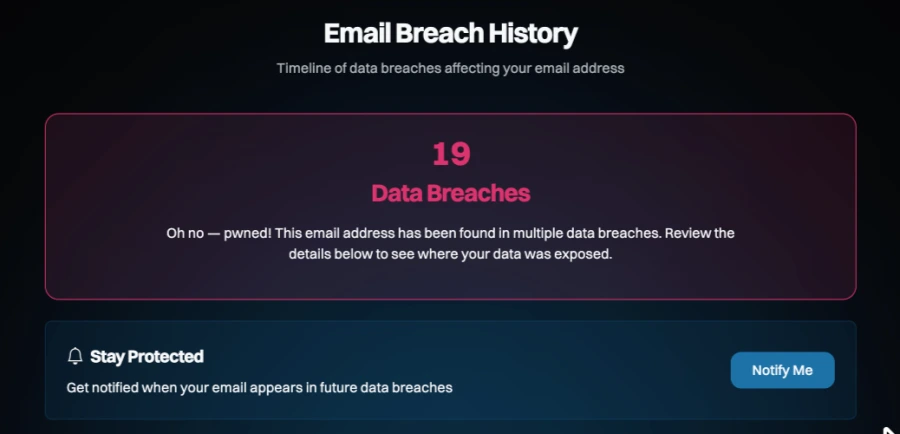
Being in a breach does not mean you were hacked. It means a company that had your email was — not your computer or your accounts. Almost everyone with an email more than a few years old shows a number like this. It's a to-do list, not an emergency.
Reading a breach entry
Click into any breach and you'll see what happened and what information was exposed. That last part is the key — it tells you exactly what to fix:
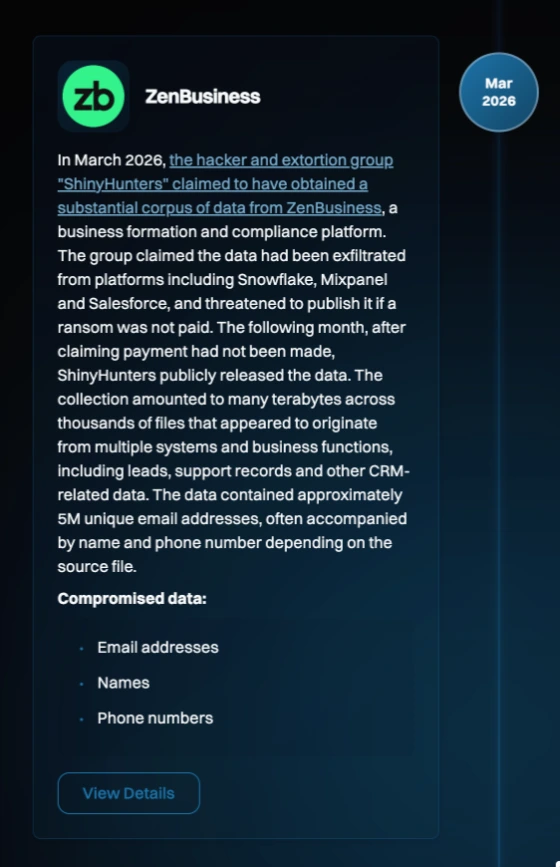
If the exposed data includes passwords, that's your cue to change that password everywhere you've used it. If it's email, name, and phone, expect more spam and scam calls — and be extra skeptical of messages that already "know" those details about you.
What to do if you've been breached
- Change reused passwords first — especially your email and banking. A unique password per site means one leak can't unlock everything else.
- Turn on two-step verification (2FA) on your important accounts, so a stolen password alone isn't enough to get in.
- Use a password manager so unique passwords are easy to keep — see Passwords & account safety.
- Consider Masked Email so the next breach exposes a throwaway address instead of your real one — see the Masked Email guide.
- Turn on "Notify me" on Have I Been Pwned for an early warning next time.
Want a hand cleaning this up?
If your address turns up in a long list and you're not sure where to start, that's exactly what I'm here for. We can go through your key accounts together, fix the reused passwords, switch on two-step verification, and get you a password manager set up — usually in one sitting. Get in touch or call 817-994-7111.